
Start your business journey online


How to Enable Global Login with Rrservices app ?
Follow below mentioned steps to Enable Global Login with Rrservices app :
1. Go to Rrservices and click on log in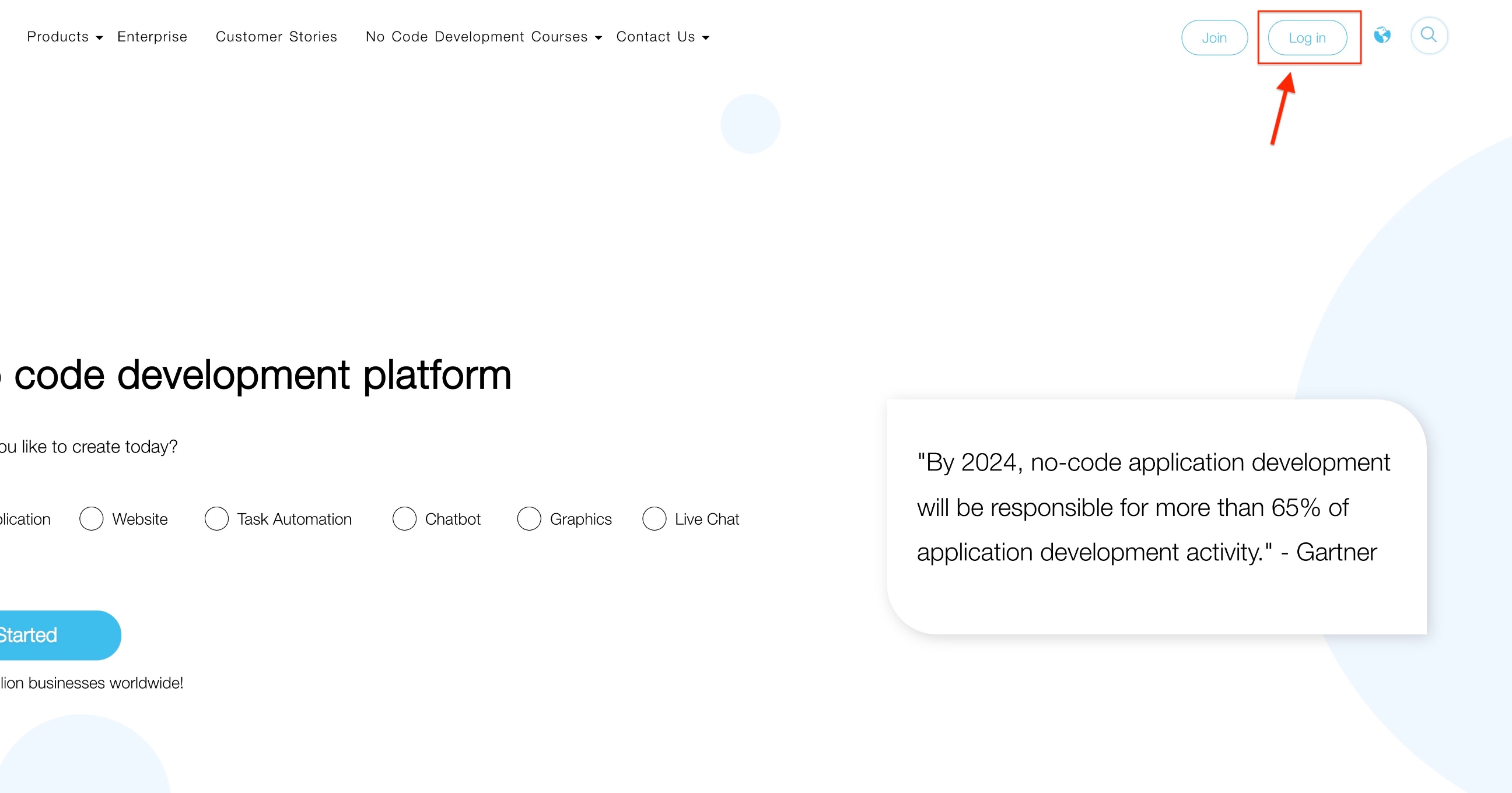
2. Enter your credentials to login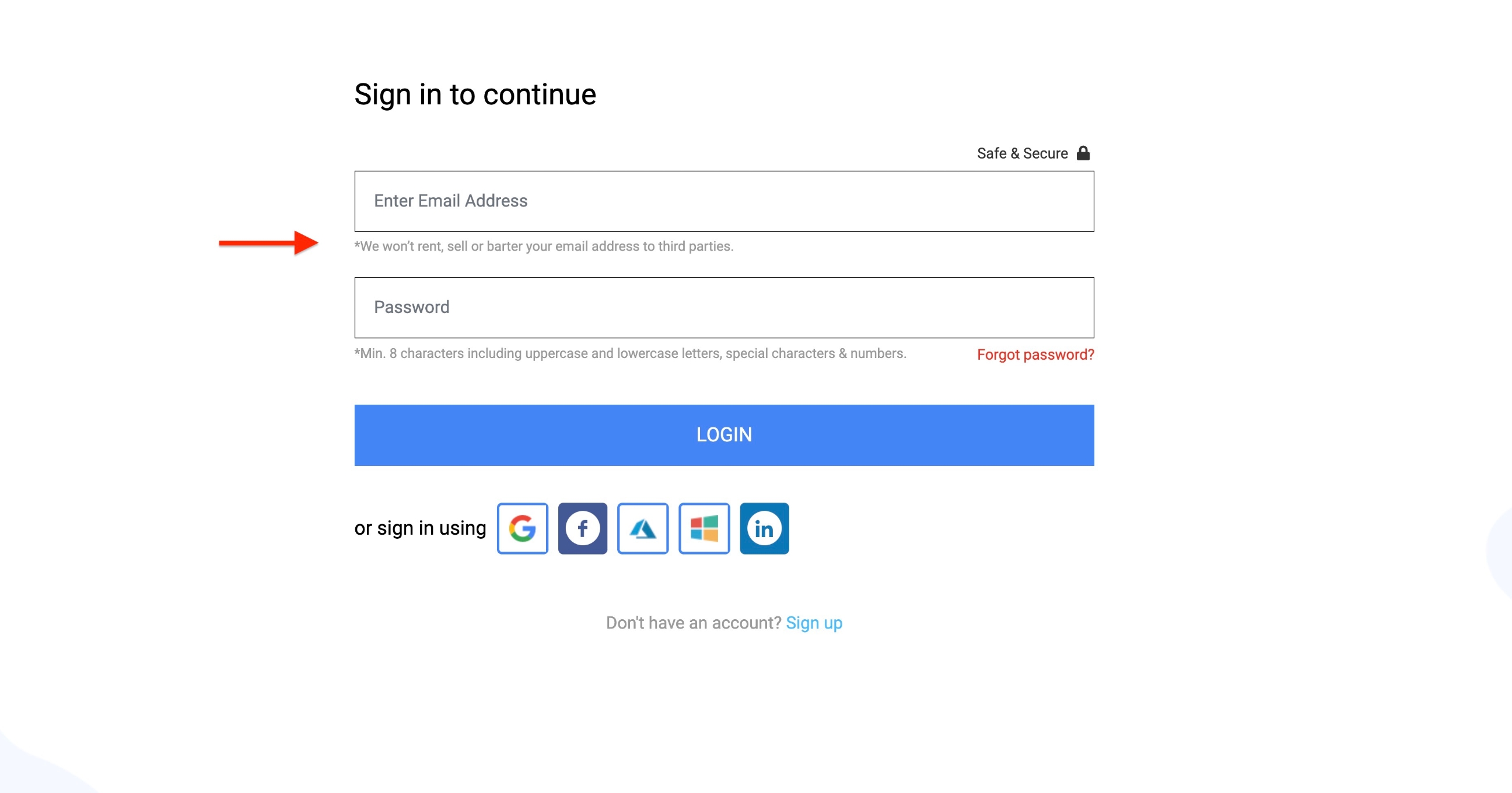
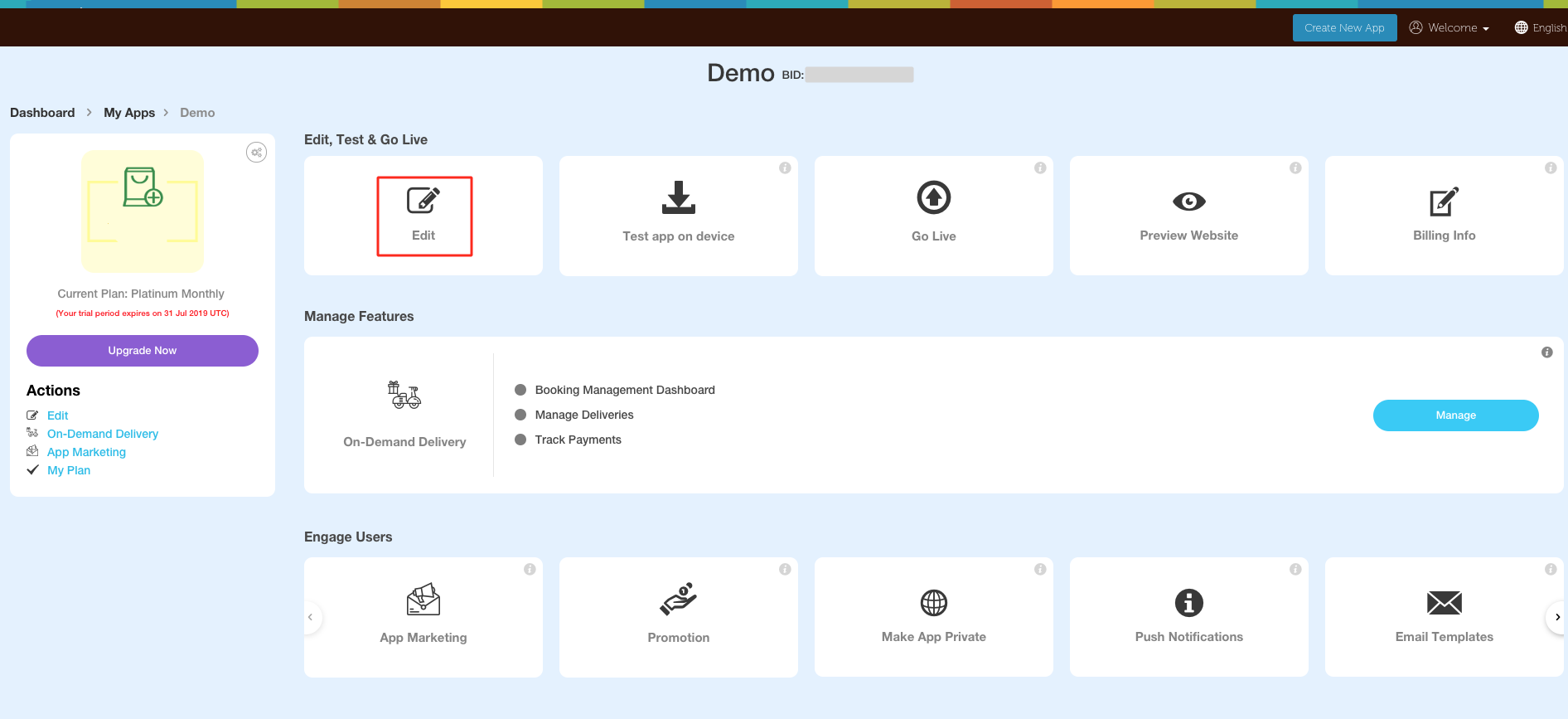
3. Go to Edit
4. Click on the lock icon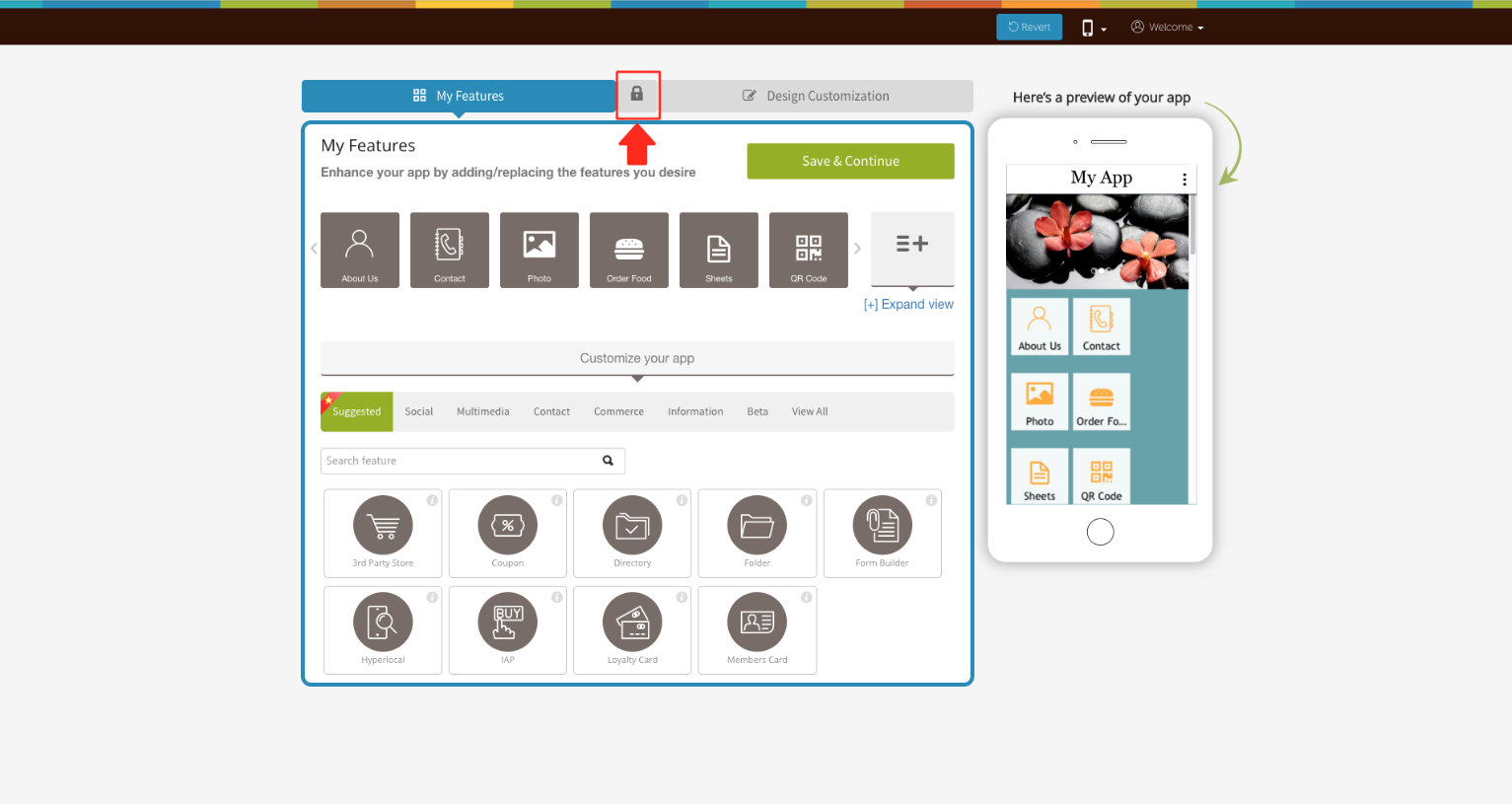
5. Turn on the toggle bar to apply Global login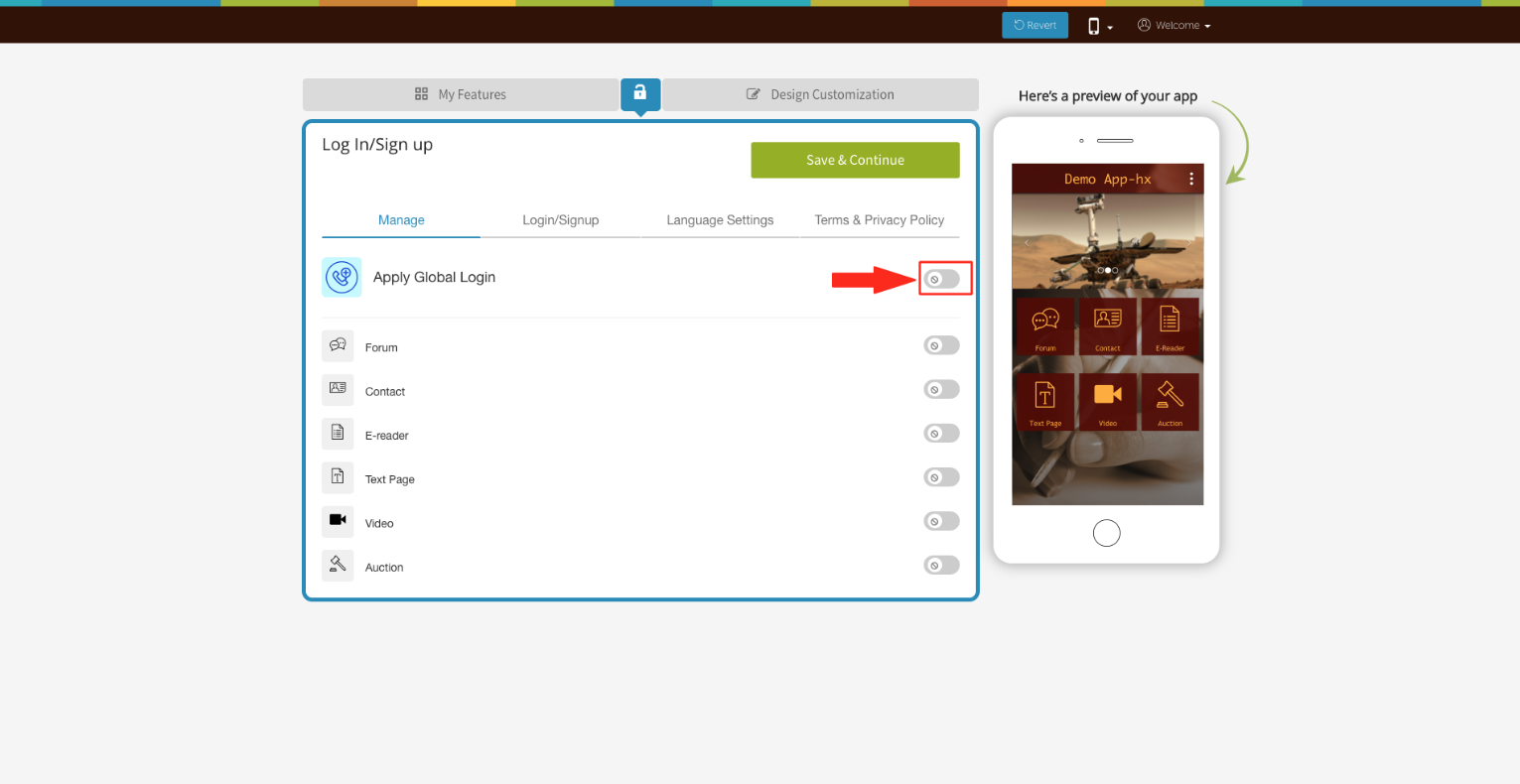
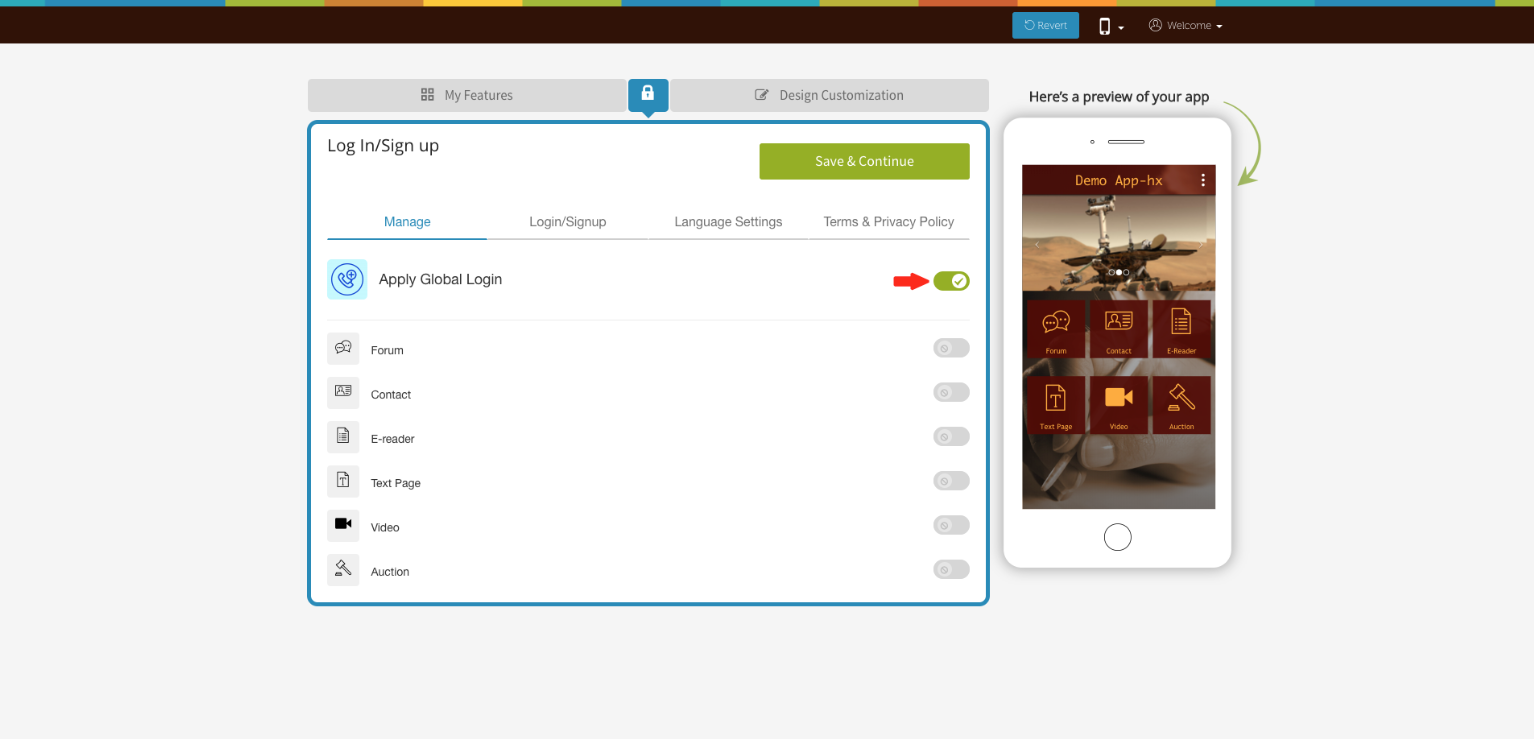
6. Once you have turned it on, the toggle bar will turn green
Follow this video tutorial to learn how to Enable Global Login with Rrservices app.
